

Prerequisites
Before proceeding, create a cluster with nodes across your intended infrastructure. To learn how to create a cluster, follow the Getting Started with Omni guide.Enable KubeSpan
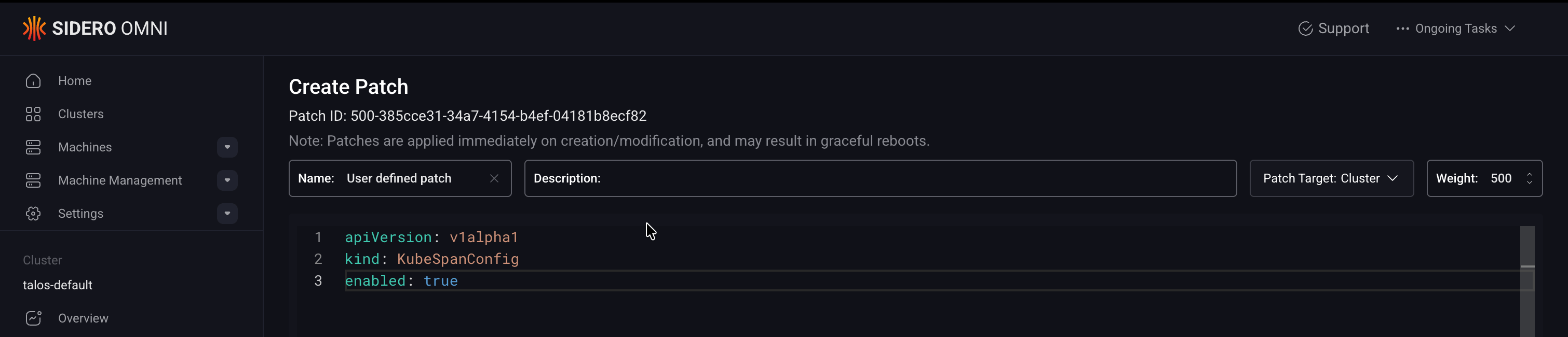
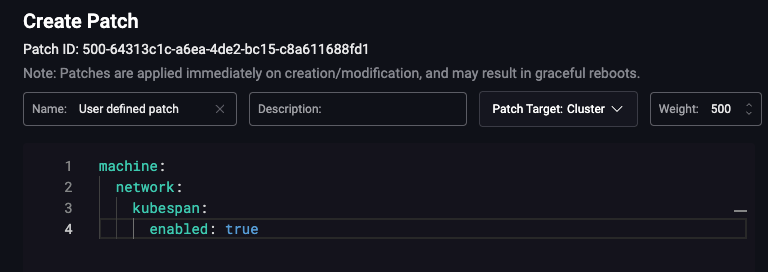
Once your cluster is created with nodes spanning multiple networks, enable KubeSpan to allow those nodes to communicate. KubeSpan can be enabled via a config patch, applied either through the Omni UI or a cluster template.- Cluster Templates
- UI
To enable KubeSpan using a cluster template, add the following patch to your cluster template definition:On Talos versions earlier than v1.13, you can use the older configuration field:For more information on patching Omni clusters inline or with patch files, see the Cluster Template reference documentation.
WireGuard encryption adds overhead that reduces network throughput compared to a native network connection. If nodes on the same network need native throughput performance, configure
filters.excludeAdvertisedNetworks to exclude same-network traffic from the WireGuard tunnel.