 Talos
Talos Omni
Omni Kubernetes Guides
Removing stuck machines
Machines connected to Omni can get in states where Omni can no longer cleanly remove them. This may be because the machine is no longer available, the machine has errors, or other reasons. This may block the ability to delete a cluster as Omni tries to cleanly remove machines before deleting the cluster resources. Sometimes trying to force delete the machine from the Omni UI also does not remove the machine. To delete a machine from Omni viaomnictl you will first need to identify what SideroLink it is using.
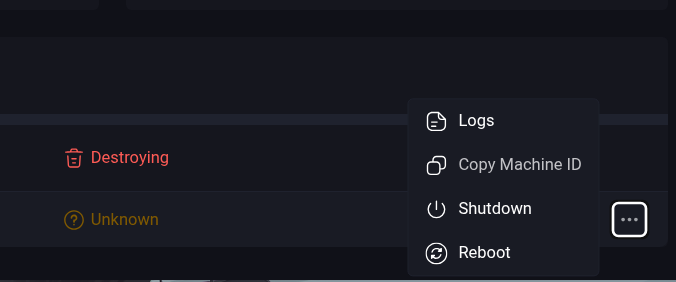
Identify the UUID of the machine that is stuck deleting by copying it from the menu.