

Reader access to the cluster can access them. This is useful for cluster-internal tools like Grafana or the Kubernetes dashboard that you want to access without setting up a separate ingress or VPN.
On self-hosted Omni, workload proxy requires DNS, TLS, and routing to be configured before it works. See Enable Workload Proxy.
To expose a workload via service proxy you must:
- Enable workload service proxying on the cluster.
- Annotate the Kubernetes service you want to expose.
- Access the exposed service from the Omni left navigation.
Workload service proxying only supports HTTP services. Raw TCP and UDP are not supported.
Enable workload service proxying
Workload service proxying must be enabled on a cluster before you can expose services from it. To enable workload service proxying on new and existing clusters using cluster templates or the Omni UI:- Cluster templates
- New cluster
- Existing cluster
Add the following to your cluster template YAML:For more information on configuring cluster features with cluster templates, see the Cluster Template reference documentation.
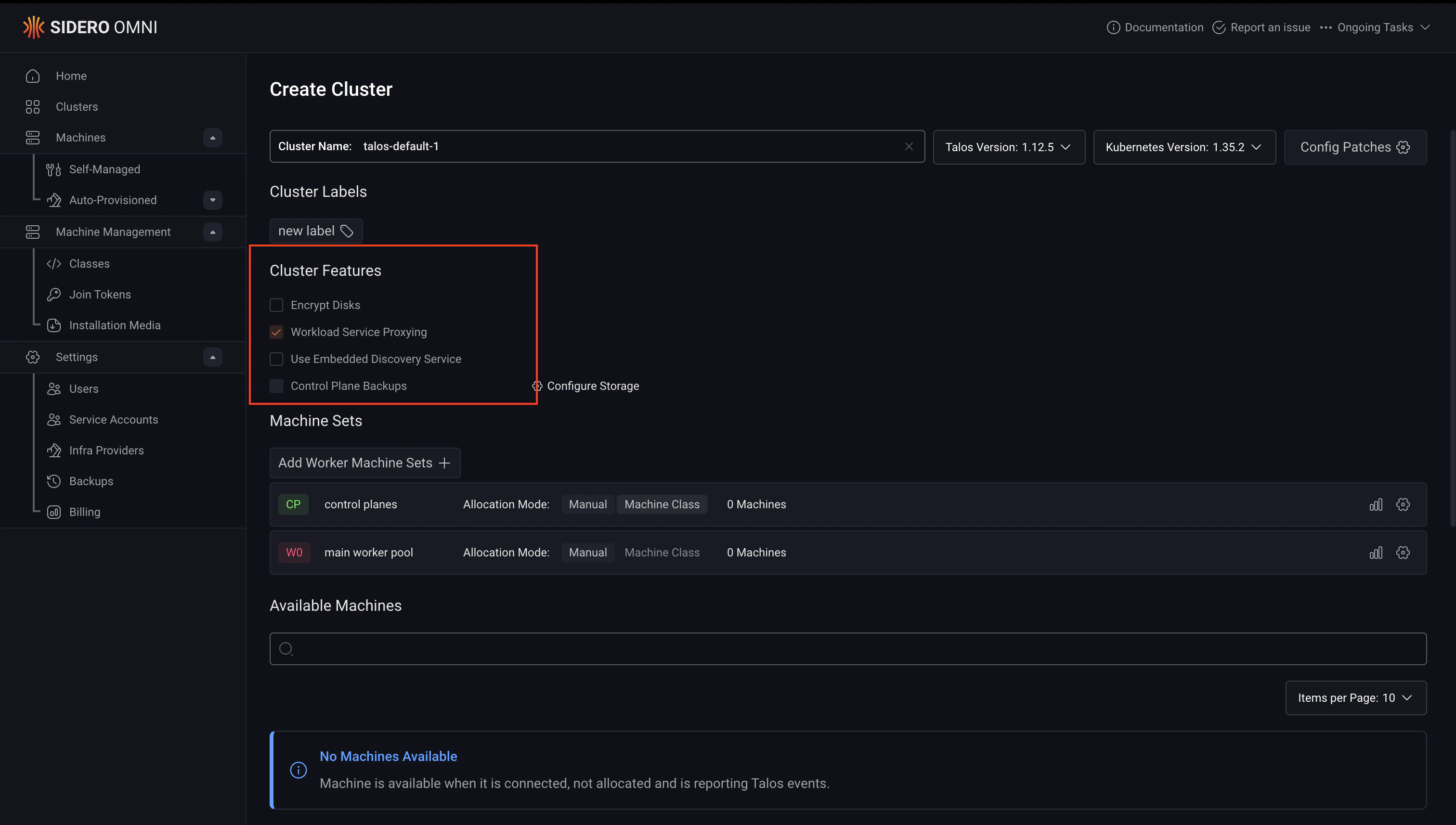
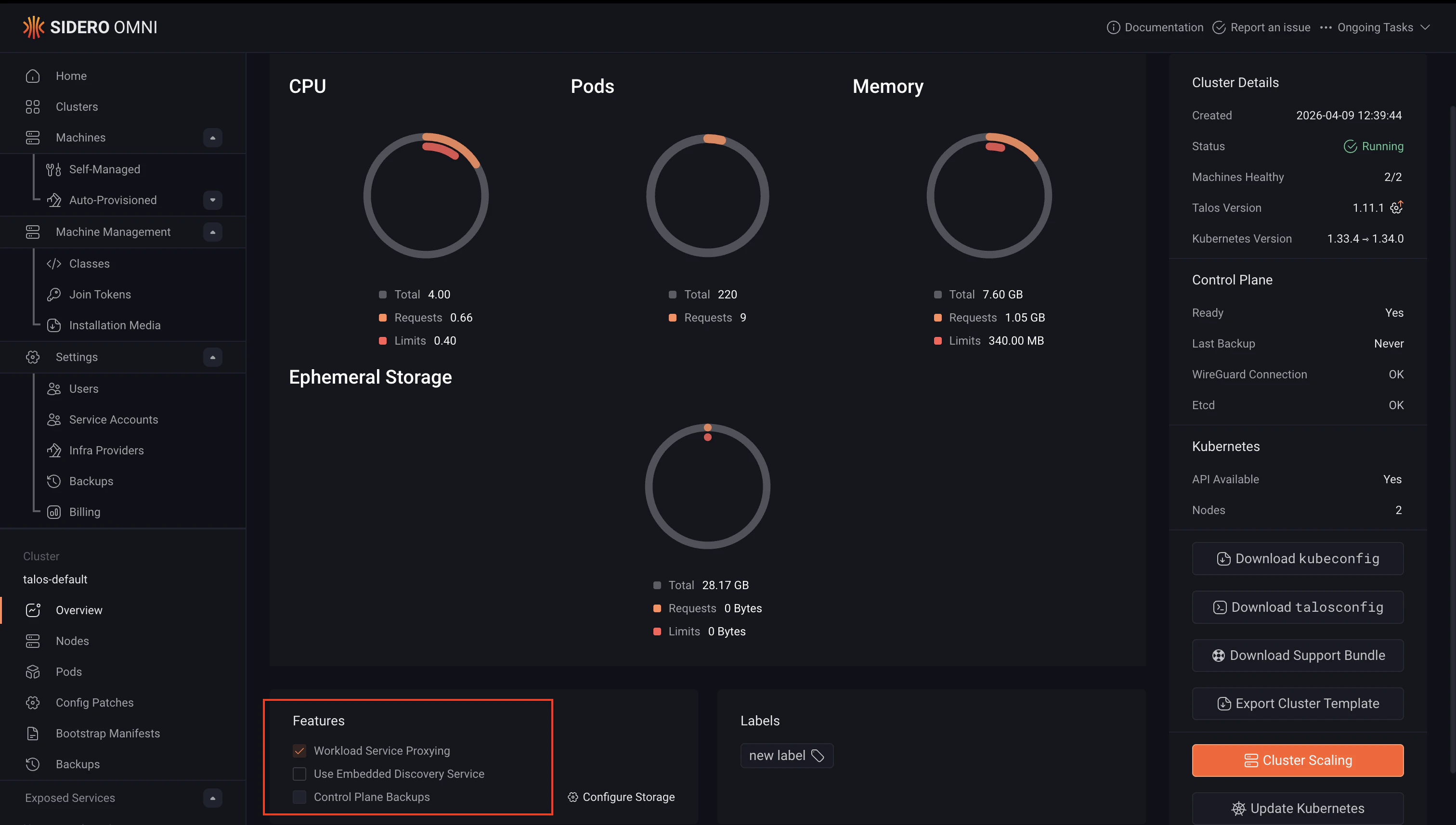
Expose a Kubernetes service
To expose a service, annotate it withomni-kube-service-exposer.sidero.dev/port set to an unused port on your nodes. The following example deploys a sample Nginx workload and exposes it through the workload proxy.
The Deployment below is a minimal Nginx workload used for demonstration purposes. The Service is what controls how the workload is exposed through Omni, pay attention to the annotations.
Service annotations
The following annotations control how a service is exposed through the workload proxy:
When the bare host port form is used, the entry maps to the first port defined on the Service. To select a specific service port on a Service that defines several, use the
host-port:service-port form.
To encode an SVG icon for use with the annotation:
Exposing multiple host ports
Exposing a Service on multiple host ports requires Omni 1.8.0 or later. On earlier versions, the
port annotation accepts only a single bare host port, and the per-host-port suffixed variants of label, prefix, and icon are ignored.port annotation. Each entry produces its own exposed service with its own URL in Omni.
A common case is a workload that serves a user-facing UI on one port and a Prometheus metrics endpoint on another. For example, given a Service that defines port 8080 (named http) and port 9090 (named metrics):
label, prefix, and icon annotations accept per-host-port suffixed variants in the form <base>-<host-port>. The suffixed variant wins for that host port, and the unsuffixed annotation is used as a fallback for any host port that does not have a suffixed variant set.
prefix annotation is set on a service exposed on multiple host ports, it is claimed by the lowest host port. Other host ports get an automatically generated alias derived from it, so there is no duplicate-prefix conflict.
Bad or duplicate entries in the port annotation are skipped individually rather than failing the whole annotation. Check omnictl get exposedservices for any per-entry errors.
Access an exposed service
Once annotated, the service will appear under Exposed Services in the left navigation when the cluster is selected. A Service exposed on multiple host ports shows up as one entry per host port. Click the service name to open it in Omni.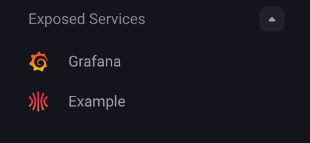
prefix-<host-port> annotation if set, otherwise the unsuffixed prefix annotation, otherwise a randomly generated prefix. For a service exposed on multiple host ports, the unsuffixed prefix only applies to the lowest host port, and the other host ports get an automatically generated alias derived from it.
Examples: exposing cluster tools with the workload proxy
The workload proxy is particularly useful for cluster-internal tools that you want to access through Omni without exposing them publicly or setting up a separate ingress. The following examples show how to install and expose two common tools, Grafana and the Kubernetes dashboard, using Helm and the workload proxy annotations.Grafana
Grafana is an open-source dashboarding and observability tool commonly used to visualise metrics from Prometheus and other data sources running in a cluster. To install Grafana and expose it through the workload proxy, run this command to create avalues.yaml:
Kubernetes dashboard
The Kubernetes dashboard is a web-based UI for managing and inspecting resources in a cluster. To install it and expose it through the workload proxy, create the followingvalues.yaml:
Troubleshoot exposed services
To view the status of all exposed services and check for configuration errors, run:ERROR column in the output for any issues with a specific service. A common cause of errors is a port conflict — the value of omni-kube-service-exposer.sidero.dev/port must be unused on all nodes in the cluster.
Omni deploys a workload proxy component into each cluster with workload service proxying enabled. You can inspect its logs for lower-level troubleshooting: