

Download the support bundle
You can download the Support Bundle in two ways, from the Omni UI or through the CLI:- Omni UI
- CLI
To download the Support Bundle from the UI:
- Log in to your Omni dashboard.
- Select the cluster you want diagnostic information for.
-
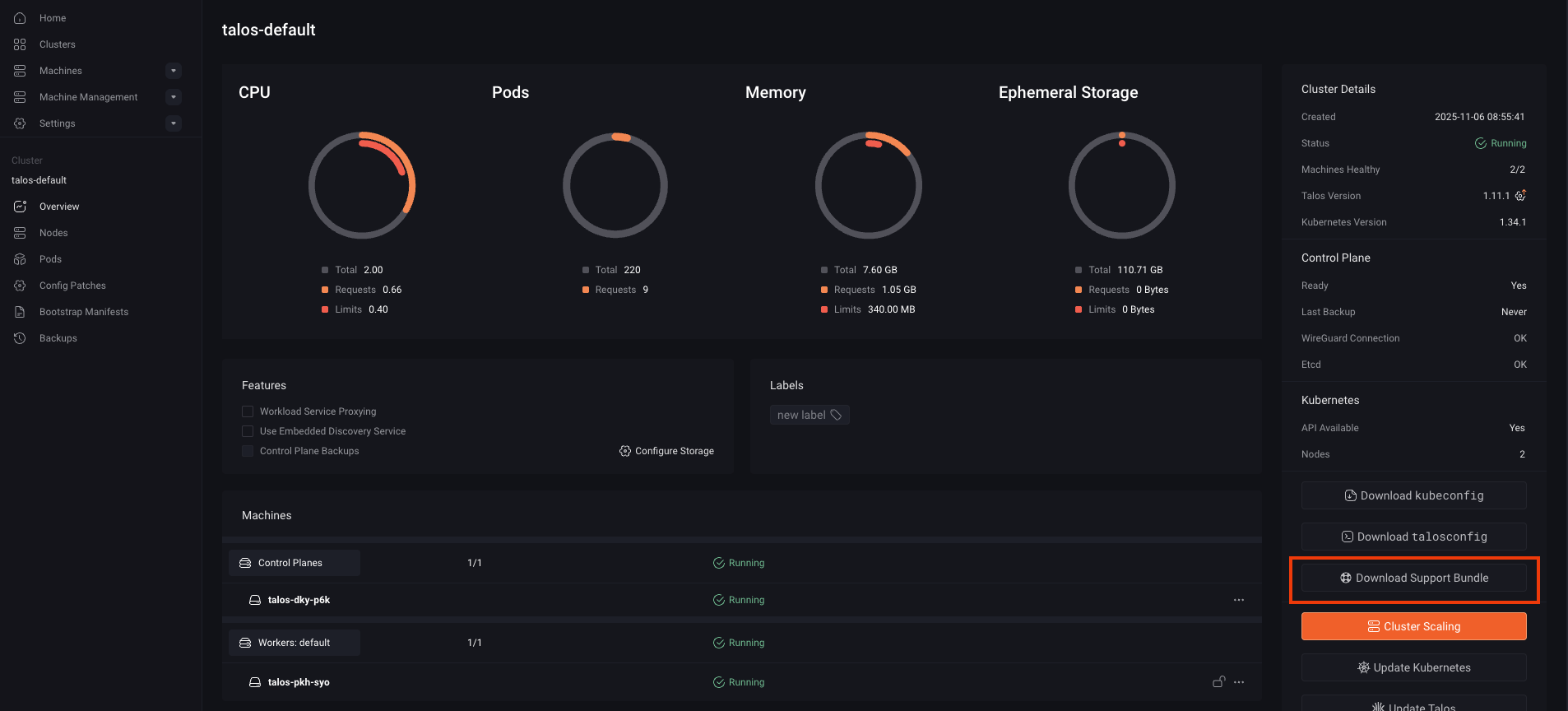
Click Download Support Bundle on the right side of the dashboard.
-
Leave Encrypt for Sidero Labs checked, then click Download.
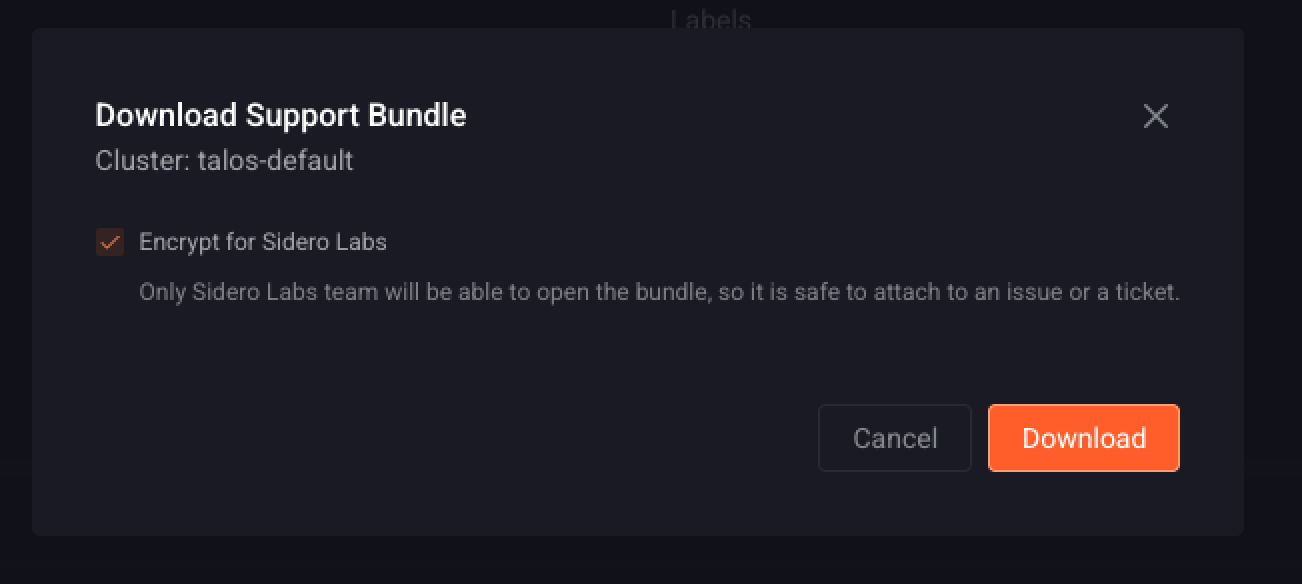
support.zip.age.The UI encrypts to the public SSH keys of the public members of the siderolabs GitHub organization only. To encrypt to your own key as well, use omnictl as described in Encrypt to yourself as well.Encryption options
By default the bundle is encrypted with age, so that the archive can be safely attached to a public GitHub issue or a support ticket. The default recipients are the public SSH keys of the public members of thesiderolabs GitHub organization, built into Omni and omnictl, so a bundle produced with the defaults can only be decrypted by the Sidero Labs team.
Encrypted bundles are written with an .age extension appended to the archive name.
The flags in the two sections below are omnictl only, and have no equivalent in the UI. omnictl encrypts the bundle locally after downloading it, so they also work against an older Omni instance.
Encrypt to yourself as well
To be able to read the bundle yourself while still allowing Sidero Labs to decrypt it, add your own recipients with--encryption-recipients.
Each value is a single age recipient (age1...) or an SSH public key (ssh-ed25519 ... or ssh-rsa ...), and the flag can be repeated:
Encrypt to your recipients only
To keep the bundle for internal use, drop the default recipients with--encryption-no-default-recipients.
At least one --encryption-recipients value is required in this case:
Disable encryption
Both the Omni UI andomnictl can write the bundle as a plain, unencrypted archive.
- Omni UI
- CLI
Uncheck Encrypt for Sidero Labs in the download dialog before clicking Download. The bundle is saved as a plain 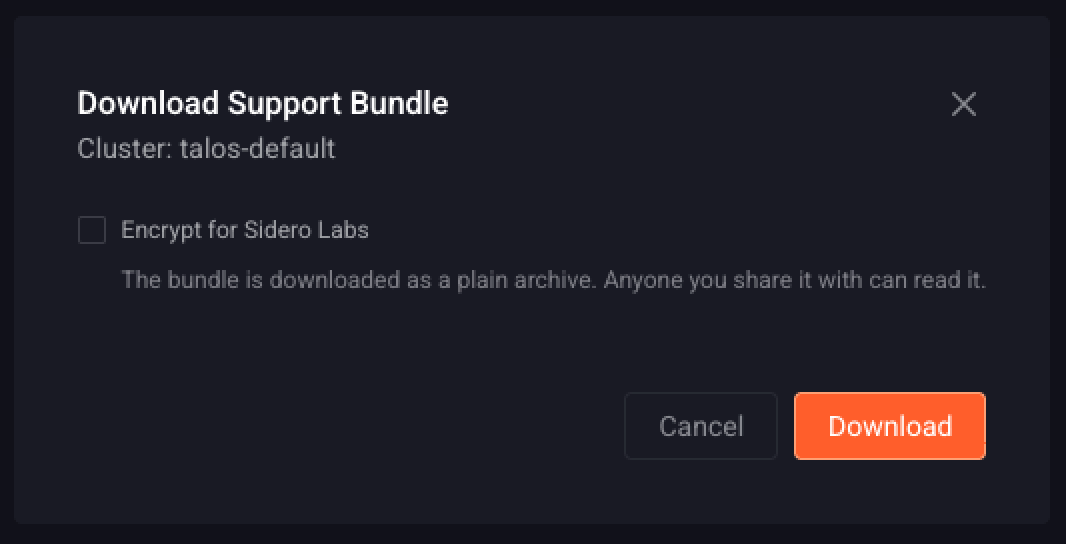
support.zip archive.