Talos Linux supports configuring registry mirrors for container image pulls. Registry mirrors allow to use official container image references while pulling images from local caching proxies. When used with a pull-through cache, the first time an image is pulled from the registry mirror, it is fetched from the upstream registry and cached locally. Subsequent pulls of the same image are served from the local cache, significantly improving pull times. The same concept can extended to air-gapped or partially connected environments, where a local registry mirror can be populated with required images ahead of time. There are many implementations of container registries that support pull-through caching, including Docker Registry, Harbor, Zot, and others.

Launch the Caching Docker Registry Proxies

The Docker Registry is the simplest way to set up pull-through caching proxies. It requires to set up a separate registry container per upstream registry. For example, to set up caching proxies for Docker Hub, registry.k8s.io, gcr.io, and ghcr.io, run:
docker run -d -p 5000:5000 \
    -e REGISTRY_PROXY_REMOTEURL=https://registry-1.docker.io \
    --restart always \
    --name registry-docker.io registry:2

docker run -d -p 5001:5000 \
    -e REGISTRY_PROXY_REMOTEURL=https://registry.k8s.io \
    --restart always \
    --name registry-registry.k8s.io registry:2

docker run -d -p 5002:5000 \
    -e REGISTRY_PROXY_REMOTEURL=https://gcr.io \
    --restart always \
    --name registry-gcr.io registry:2

docker run -d -p 5003:5000 \
    -e REGISTRY_PROXY_REMOTEURL=https://ghcr.io \
    --restart always \
    --name registry-ghcr.io registry:2
Note: Proxies are started as docker containers, and they’re automatically configured to start with Docker daemon.
As a registry container can only handle a single upstream Docker registry, we launch a container per upstream, each on its own host port (5000, 5001, 5002, 5003 and 5004).

Configuring Talos to Use the Caching Registries

Talos Linux can be configured to redirect image pulls to the caching registries using RegistryMirrorConfig configuration document. The registry mirror configuration is honored by Talos Linux itself and automatically propagated to CRI runtimes (containerd). The registry configuration starts with the endpoint of the image reference: the endpoint is the leftmost part of the image reference before the first /. For example, the endpoint for the image docker.io/library/nginx:latest is docker.io. If the endpoint contains the port, it must be included as well (e.g., myregistrydomain.com:5000). One exception is that images from Docker Hub can omit the endpoint, for example library/nginx:latest has the endpoint docker.io. For the endpoint, one can configure one or more mirror endpoints. The endpoints will be tried in order until one succeeds, and by default the last implicit endpoint is the original upstream registry. The endpoint should explicitly include the protocol (http:// or https://).
apiVersion: v1alpha1
kind: RegistryMirrorConfig
name: docker.io
endpoints:
    - url: http://10.5.0.1:5000
---
apiVersion: v1alpha1
kind: RegistryMirrorConfig
name: registry.k8s.io
endpoints:
    - url: http://10.5.0.1:5001
---
apiVersion: v1alpha1
kind: RegistryMirrorConfig
name: gcr.io
endpoints:
    - url: http://10.5.0.1:5002
---
apiVersion: v1alpha1
kind: RegistryMirrorConfig
name: ghcr.io
endpoints:
    - url: http://10.5.0.1:5003
In the configuration above, we configure Talos Linux to pull images from our local caching registries running on address 10.5.0.1 (adjust to your setup) on ports 5000, 5001, 5002, and 5003 respectively. If the image is not found in the endpoint, the pull will fall back to the original upstream registry. If the default fallback behavior is not desired, one can set skipFallback: true in the configuration to prevent falling back to the upstream registry:
apiVersion: v1alpha1
kind: RegistryMirrorConfig
name: docker.io
endpoints:
    - url: http://10.5.0.1:5000
skipFallback: true
By default, the /v2 suffix is automatically appended to the endpoint URL when interacting with OCI registry API. If the caching registry already includes /v2 in its URL path, set overridePath: true to prevent appending /v2 again:
apiVersion: v1alpha1
kind: RegistryMirrorConfig
name: docker.io
endpoints:
    - url: http://my-harbor/v2/docker.io
      overridePath: true
If the registry mirror requires authentication, or specific TLS settings, those can be configured as well. Please note that this configuration is applied to the hostname part of the endpoint URL, not to the image reference endpoint. If the endpoint URL includes a port, the port must be included in the registry auth configuration name. For example, to configure authentication for a private registry running on my-private-registry.io use RegistryAuthConfig:
apiVersion: v1alpha1
kind: RegistryAuthConfig
name: my-private-registry.io
username: username
password: "****"
If your registry is running with self-signed TLS certificates, you can configure Talos to trust the registry by providing the CA certificate using RegistryTLSConfig:
apiVersion: v1alpha1
kind: RegistryTLSConfig
name: my-private-registry.io
ca: |-
    -----BEGIN CERTIFICATE-----
    MIID...IDAQAB
    -----END CERTIFICATE-----

Using Harbor as a Caching Registry

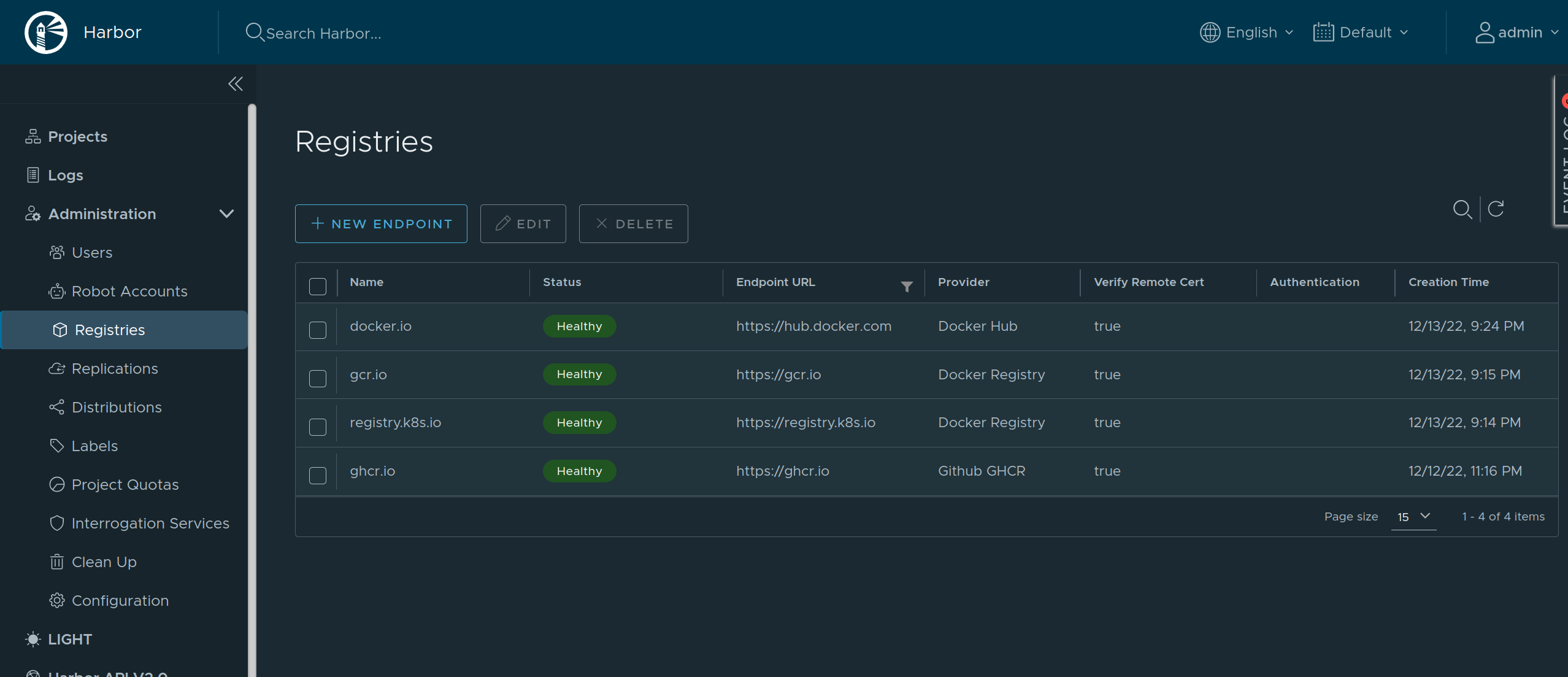
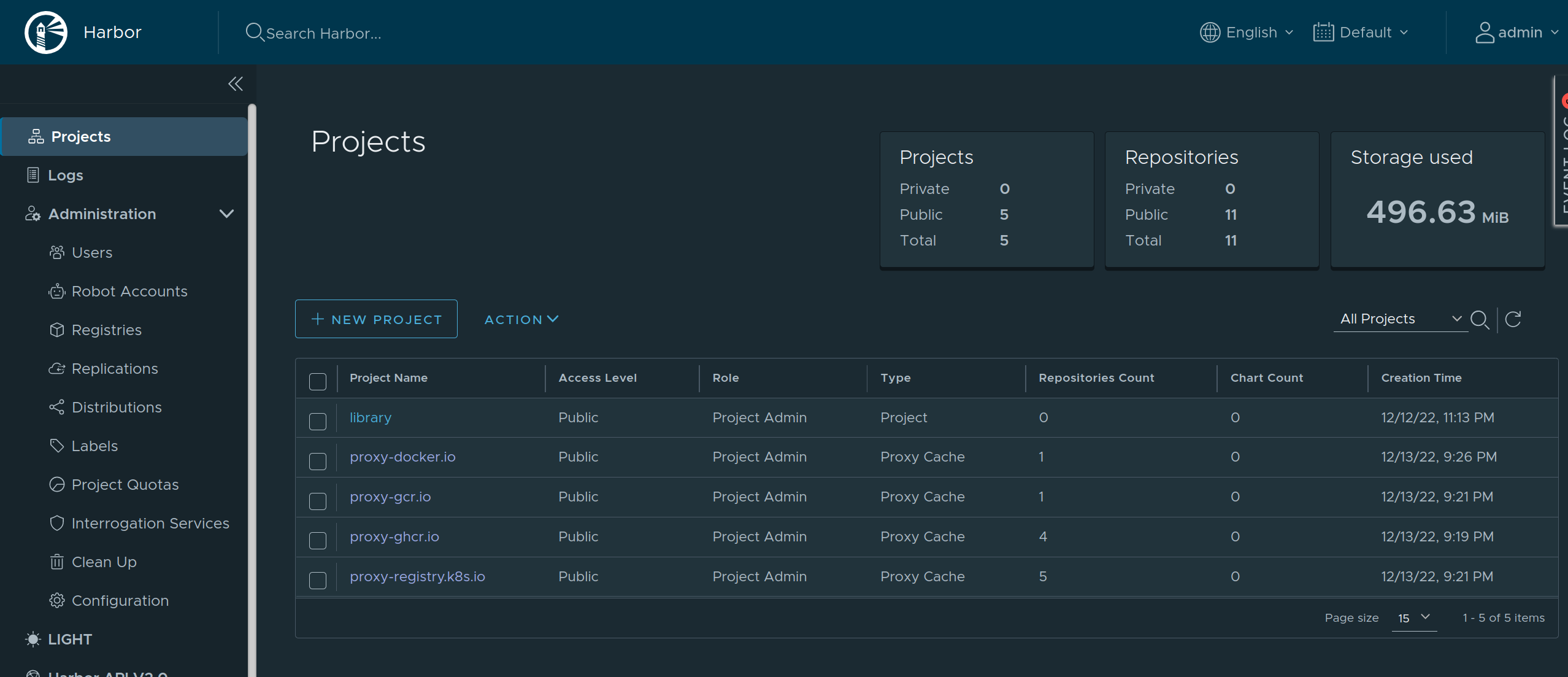
Harbor is an open source container registry that can be used as a caching proxy. Harbor supports configuring multiple upstream registries, so it can be used to cache multiple registries at once behind a single endpoint. Harbor Endpoints Harbor Projects As Harbor puts a registry name in the pull image path, we need to set overridePath: true to prevent Talos and containerd from appending /v2 to the path.
apiVersion: v1alpha1
kind: RegistryMirrorConfig
name: docker.io
endpoints:
    - url: http://harbor/v2/proxy-docker.io
      overridePath: true
---
apiVersion: v1alpha1
kind: RegistryMirrorConfig
name: ghcr.io
endpoints:
    - url: http://harbor/v2/proxy-ghcr.io
      overridePath: true
---
apiVersion: v1alpha1
kind: RegistryMirrorConfig
name: gcr.io
endpoints:
    - url: http://harbor/v2/proxy-gcr.io
      overridePath: true
---
apiVersion: v1alpha1
kind: RegistryMirrorConfig
name: registry.k8s.io
endpoints:
    - url: http://harbor/v2/proxy-registry.k8s.io
      overridePath: true
The Harbor external endpoint (http://harbor in this example) can be configured with authentication or custom TLS:
apiVersion: v1alpha1
kind: RegistryAuthConfig
name: harbor
username: admin
password: password