;
};
The `talosconfig` file contains client configuration used by `talosctl` to authenticate and communicate with Talos clusters.
This file is typically generated and managed by `talosctl`. Direct manual modification is not usually required, but understanding its structure can be useful for advanced troubleshooting or automation.
## File generation
This `talosconfig` file is usually generated alongside the machine configuration (`controlplane.yaml` and `worker.yaml`) by running:
```bash theme={null}
talosctl gen config https://6443 --install-disk /dev/
```
Here is how a generated `talosconfig` file looks like:
```yaml theme={null}
contexts:
my-cluster:
endpoints:
- 192.168.0.10
nodes:
- 192.168.0.10
ca:
crt:
key:
```
## Default location
By default, `talosctl` searches for the configuration file in standard OS-specific locations (for example, `~/.talos/config` on Unix-like systems).
To specify a custom configuration file path, use the `--talosconfig` flag:
```bash theme={null}
talosctl --talosconfig
```
Alternatively, you can set the `TALOSCONFIG` environment variable:
```bash theme={null}
export TALOSCONFIG=/path/to/talosconfig
```
## Configuration structure
The `talosconfig` file consists of a root configuration object and one or more named contexts.
### `context` (string)
Specifies the name of the active context.
This determines which entry under `contexts` is used when running `talosctl` commands.
**Example**:
```yaml theme={null}
context: my-cluster
```
### `contexts` (map\[string]Context)
Defines a set of named contexts. Each context contains the connection and authentication configuration required to communicate with a Talos cluster.
**Example**:
```yaml theme={null}
contexts:
my-cluster:
endpoints:
- 192.168.0.10
```
Each entry under `contexts` contains the following fields:
#### `endpoints` (\[]string)
List of Talos API endpoints. This field is required.
These are the addresses `talosctl` uses to connect to the cluster.
**Example:**
```yaml theme={null}
endpoints:
- 192.168.0.10
- 192.168.0.11
```
For more details on how endpoints are used, see the [endpoints and nodes](../learn-more/talosctl#endpoints-and-nodes).
You can add an endpoint to an existing `talosconfig` using:
```bash theme={null}
talosctl config endpoint
```
#### `nodes` (\[]string, optional)
List of node addresses.
If specified, these addresses are used as default node targets for commands that operate on nodes.
**Example:**
```yaml theme={null}
nodes:
- 192.168.0.10
- 192.168.0.11
```
You can add default node addresses using:
```bash theme={null}
talosctl config node
```
#### `ca` (string, optional)
Base64-encoded Certificate Authority (CA) certificate.
Used to validate the server’s TLS certificate.
**Example:**
```yaml theme={null}
ca: LS0tLS1CRUdJTiBDRVJUSUZJQ0FURS0tLS0t...
```
#### `crt` (string, optional)
Base64-encoded client certificate used for authentication.
**Example:**
```yaml theme={null}
crt: LS0tLS1CRUdJTiBDRVJUSUZJQ0FURS0tLS0t...
```
#### `key` (string, optional)
Base64-encoded private key corresponding to the client certificate.
**Example:**
```yaml theme={null}
key: LS0tLS1CRUdJTiBSU0EgUFJJVkFURSBLRVktLS0tLQ...
```
#### `auth` (Auth, optional)
Specifies an alternative authentication method.
If specified, certificate fields (`ca`, `crt`, `key`) may not be required depending on the authentication method.
#### `auth.siderov1`
Sidero v1 API signature authentication.
**Example:**
```yaml theme={null}
auth:
siderov1:
identity: my-identity
```
**Fields:**
| Field | Type | Description |
| ---------- | ------ | ----------------------------------------- |
| `identity` | string | Identity used for SideroV1 authentication |
#### `cluster` (string, optional)
Optional cluster identifier.
**Example:**
```yaml theme={null}
cluster: production-cluster
```
## Using Omni with `talosconfig`
When using Omni, the `talosconfig` file works differently than it does in a direct (non-Omni) setup.
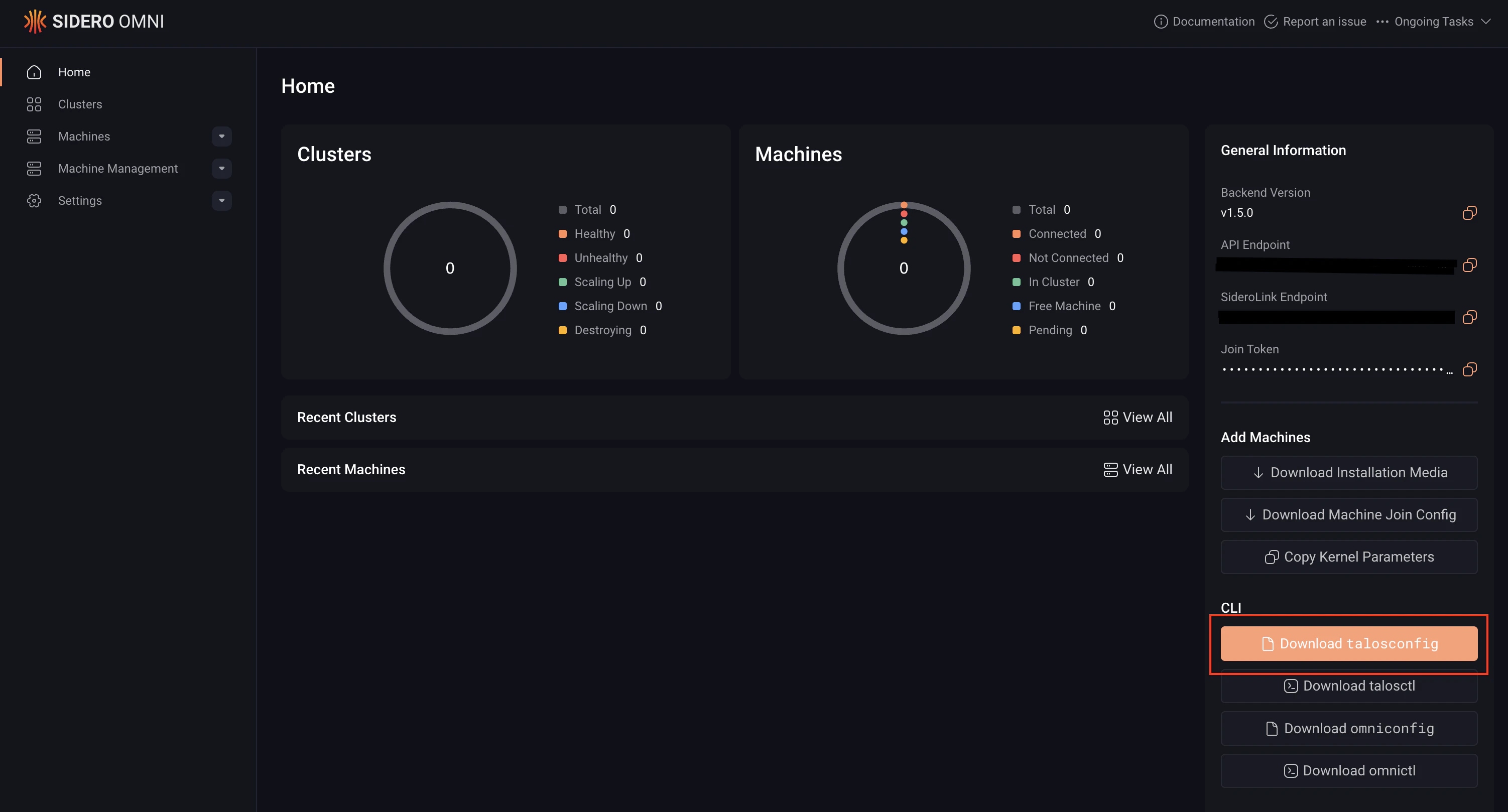
You can download this `talosconfig` file from the Omni UI or the CLI:
Download the `talosconfig` file from the Omni UI:
Download `talosconfig` via the CLI with this command:
```bash theme={null}
omnictl talosconfig --cluster
```
In an Omni-managed `talosconfig`, the `endpoints` field points to your Omni instance rather than directly to the control plane nodes.
Omni manages certificates and authentication automatically, as a result the client certificate fields (`ca`, `crt`, and `key`) must be empty.
A `talosconfig` file for managing Talos clusters through Omni looks like this:
```yaml theme={null}
contexts:
omni-cluster:
endpoints:
- https://omni.example.com
auth:
siderov1:
identity: my-identity
```
## Manage `talosconfig` with `talosctl`
In most cases, the configuration file is managed using `talosctl config` commands. Refer to the [talosctl config reference](./cli#talosctl-config-add) for more information.