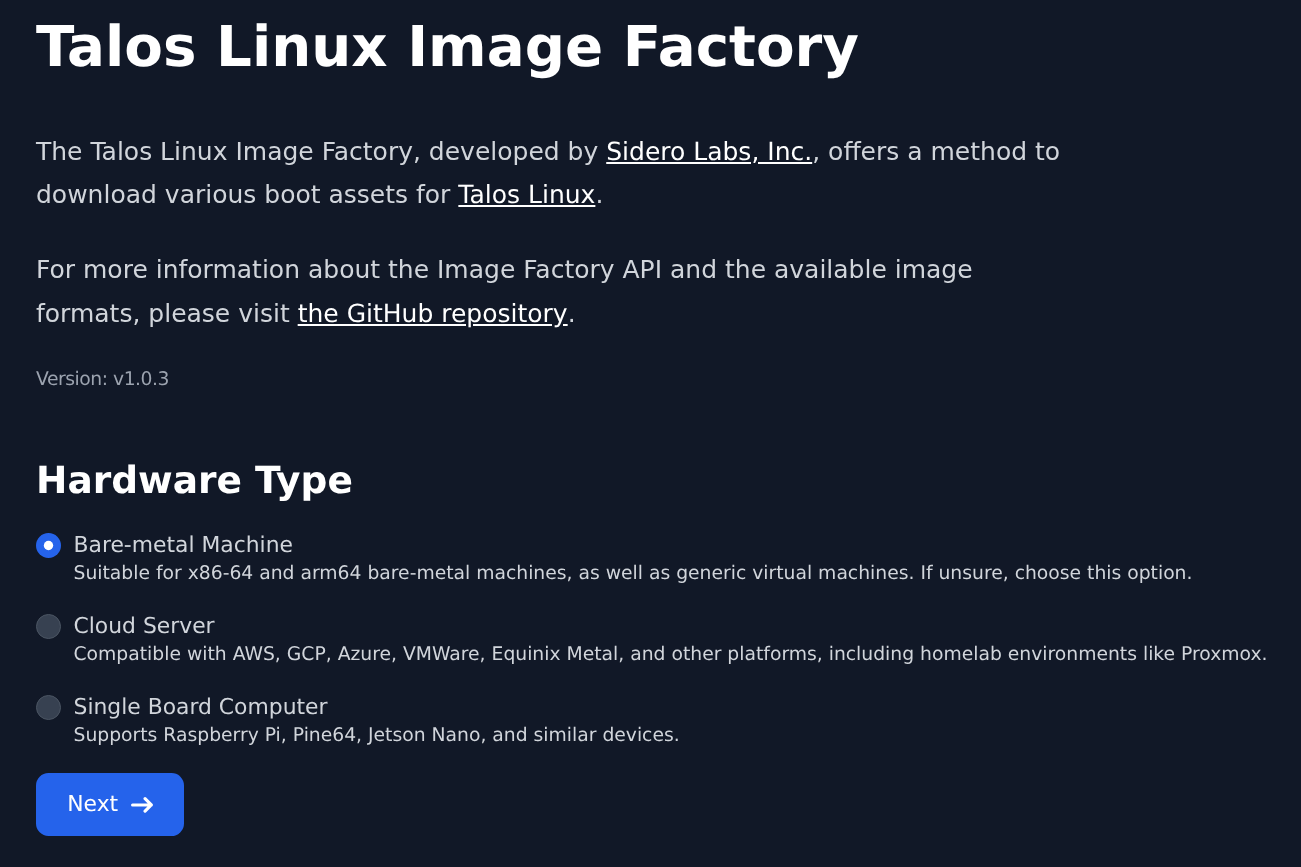
 The following assets are provided:
* ISO
* `kernel`, `initramfs`, and kernel command line
* UKI
* disk images in various formats (e.g. AWS, GCP, VMware, etc.)
* installer container images
The supported frontends are:
* HTTP
* PXE
* Container Registry
See [Boot Assets](../platform-specific-installations/boot-assets#image-factory) for an example of how to use the Image Factory to boot and upgrade Talos on different platforms.
Full API documentation for the Image Factory is available at [GitHub](https://github.com/siderolabs/image-factory#readme).
## Schematics
Schematics are YAML files that define customizations to be applied to a Talos Linux image.
Schematics can be applied to any of the versions of Talos Linux offered by the Image Factory to produce a "model", which is a Talos Linux image with the customizations applied.
Schematics are content-addressable, that is, the content of the schematic is used to generate a unique ID.
The schematic should be uploaded to the Image Factory first, and then the ID can be used to reference the schematic in a model.
Schematics can be generated using the [Image Factory UI](#ui), or using the Image Factory API:
```yaml theme={null}
customization:
extraKernelArgs: # optional
- vga=791
meta: # optional, allows to set initial Talos META
- key: 0xa
value: "{}"
systemExtensions: # optional
officialExtensions: # optional
- siderolabs/gvisor
- siderolabs/amd-ucode
overlay: # optional
name: rpi_generic
image: siderolabs/sbc-raspberry-pi
options: # optional, any valid yaml, depends on the overlay implementation
data: "mydata"
```
The "vanilla" schematic is:
```yaml theme={null}
customization:
```
and has an ID of `376567988ad370138ad8b2698212367b8edcb69b5fd68c80be1f2ec7d603b4ba`.
The schematic can be applied by uploading it to the Image Factory:
```shell theme={null}
curl -X POST --data-binary @schematic.yaml https://factory.talos.dev/schematics
```
As the schematic is content-addressable, the same schematic can be uploaded multiple times, and the Image Factory will return the same ID.
## Models
Models are Talos Linux images with customizations applied.
The inputs to generate a model are:
* schematic ID
* Talos Linux version
* model type (e.g. ISO, UKI, etc.)
* architecture (e.g. amd64, arm64)
* various model type specific options (e.g. disk image format, disk image size, etc.)
## Frontends
Image Factory provides several frontends to retrieve models:
* HTTP frontend to download models (e.g. download an ISO or a disk image)
* PXE frontend to boot bare-metal machines (PXE script references kernel/initramfs from HTTP frontend)
* Registry frontend to fetch customized `installer` images (for initial Talos Linux installation and upgrades)
The links to different models are available in the [Image Factory UI](#ui), and a full list of possible models is documented at [GitHub](https://github.com/siderolabs/image-factory#readme).
In this guide we will provide a list of examples:
* amd64 ISO (for Talos {release_v1_12}, "vanilla" schematic)
* arm64 AWS image (for Talos {release_v1_12}, "vanilla" schematic)
* amd64 PXE boot script (for Talos {release_v1_12}, "vanilla" schematic)
* Talos `installer` image (for Talos {release_v1_12}, “vanilla” schematic, architecture is detected automatically):
The following assets are provided:
* ISO
* `kernel`, `initramfs`, and kernel command line
* UKI
* disk images in various formats (e.g. AWS, GCP, VMware, etc.)
* installer container images
The supported frontends are:
* HTTP
* PXE
* Container Registry
See [Boot Assets](../platform-specific-installations/boot-assets#image-factory) for an example of how to use the Image Factory to boot and upgrade Talos on different platforms.
Full API documentation for the Image Factory is available at [GitHub](https://github.com/siderolabs/image-factory#readme).
## Schematics
Schematics are YAML files that define customizations to be applied to a Talos Linux image.
Schematics can be applied to any of the versions of Talos Linux offered by the Image Factory to produce a "model", which is a Talos Linux image with the customizations applied.
Schematics are content-addressable, that is, the content of the schematic is used to generate a unique ID.
The schematic should be uploaded to the Image Factory first, and then the ID can be used to reference the schematic in a model.
Schematics can be generated using the [Image Factory UI](#ui), or using the Image Factory API:
```yaml theme={null}
customization:
extraKernelArgs: # optional
- vga=791
meta: # optional, allows to set initial Talos META
- key: 0xa
value: "{}"
systemExtensions: # optional
officialExtensions: # optional
- siderolabs/gvisor
- siderolabs/amd-ucode
overlay: # optional
name: rpi_generic
image: siderolabs/sbc-raspberry-pi
options: # optional, any valid yaml, depends on the overlay implementation
data: "mydata"
```
The "vanilla" schematic is:
```yaml theme={null}
customization:
```
and has an ID of `376567988ad370138ad8b2698212367b8edcb69b5fd68c80be1f2ec7d603b4ba`.
The schematic can be applied by uploading it to the Image Factory:
```shell theme={null}
curl -X POST --data-binary @schematic.yaml https://factory.talos.dev/schematics
```
As the schematic is content-addressable, the same schematic can be uploaded multiple times, and the Image Factory will return the same ID.
## Models
Models are Talos Linux images with customizations applied.
The inputs to generate a model are:
* schematic ID
* Talos Linux version
* model type (e.g. ISO, UKI, etc.)
* architecture (e.g. amd64, arm64)
* various model type specific options (e.g. disk image format, disk image size, etc.)
## Frontends
Image Factory provides several frontends to retrieve models:
* HTTP frontend to download models (e.g. download an ISO or a disk image)
* PXE frontend to boot bare-metal machines (PXE script references kernel/initramfs from HTTP frontend)
* Registry frontend to fetch customized `installer` images (for initial Talos Linux installation and upgrades)
The links to different models are available in the [Image Factory UI](#ui), and a full list of possible models is documented at [GitHub](https://github.com/siderolabs/image-factory#readme).
In this guide we will provide a list of examples:
* amd64 ISO (for Talos {release_v1_12}, "vanilla" schematic)
* arm64 AWS image (for Talos {release_v1_12}, "vanilla" schematic)
* amd64 PXE boot script (for Talos {release_v1_12}, "vanilla" schematic)
* Talos `installer` image (for Talos {release_v1_12}, “vanilla” schematic, architecture is detected automatically):